Using Animations
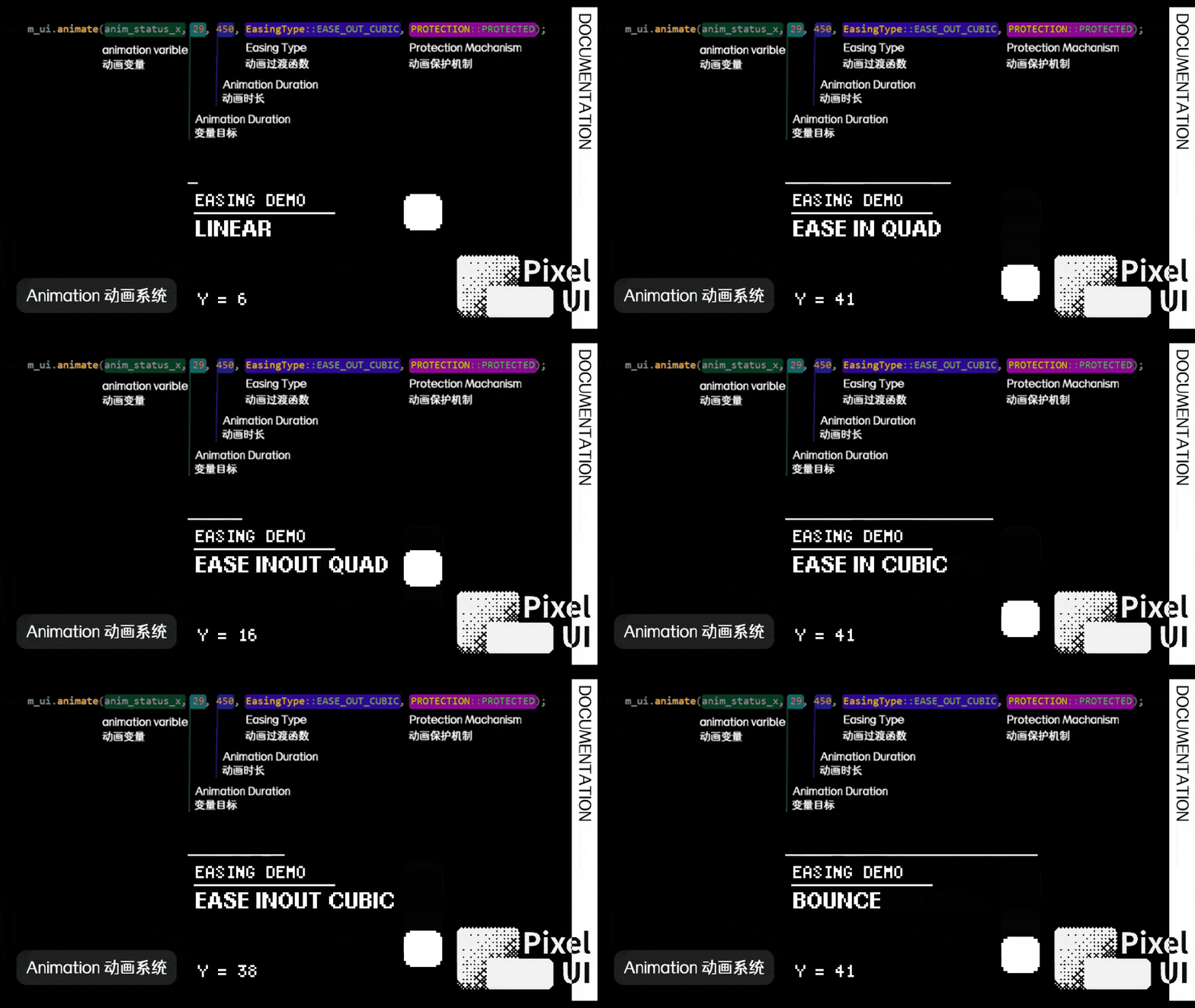
PixelUI defines an Animation as changing an int32_t value from A to B over a duration. Easing uses fixed-point calculations, and Animation objects live directly in the fixed-capacity AnimationManager.
API overview
PixelUI provides overloads for one animated value, two animated values, and a custom value callback.
One value
1 | int32_t panelX = -64; |
animate() returns bool. When all PIXELUI_MAX_ANIMATION_COUNT slots are occupied, it returns false and leaves the original variable unchanged. The caller can set the final value or report the capacity failure.
Two values
1 | if (!ui.animate(x, y, 32, 20, 500, EasingType::EASE_IN_OUT_QUAD)) { |
This overload reserves two slots atomically. Fewer than two available slots produce false and leave both animations unstarted.
Custom callback
1 | ui.animateCallback( |
The callback is stored in etl::inplace_function<..., CALLBACK_STORAGE_SIZE>. An oversized capture fails at compile time. When capturing this or a reference, the target must live until the Animation ends or is cleared. See Resource limits for capacity configuration.
Easing
| Easing type | Motion profile |
|---|---|
LINEAR |
Constant speed |
EASE_IN_QUAD |
Slow start with quadratic acceleration |
EASE_OUT_QUAD |
Fast start with quadratic deceleration |
EASE_IN_OUT_QUAD |
Slow start, acceleration through the middle, and slow finish |
EASE_IN_CUBIC |
Very slow start with strong cubic acceleration |
EASE_OUT_CUBIC |
Fast start with strong cubic deceleration |
EASE_IN_OUT_CUBIC |
Very slow start, strong acceleration, and slow finish |
EASE_OUT_BOUNCE |
Fast arrival followed by several elastic bounces |
Refresh and markDirty()
AnimationManager updates values and marks the UI dirty when deadlines are reached. Ordinary application state changes use ui.markDirty() to request a new frame. See Event-driven rendering for scheduling rules.
Protection and cleanup
PROTECTION::PROTECTEDpreserves an Animation duringclearUnprotectedAnimations().clearAllAnimations()removes every Animation, including protected ones.- ViewManager clears Animations during App transitions and exit, keeping target lifetimes within the owning App.
clearAnimationProtection()removes protection flags while leaving the Animations active.
Animations hold references to their target variables. App members normally provide the required lifetime through completion or cleanup.