Launch AppLauncher at Boot
AppLauncher is PixelUI’s built-in application entry point. It is a regular App that derives from IconView, reads registered Apps from AppManager, and calls ViewManager::launch() after the user selects an icon.
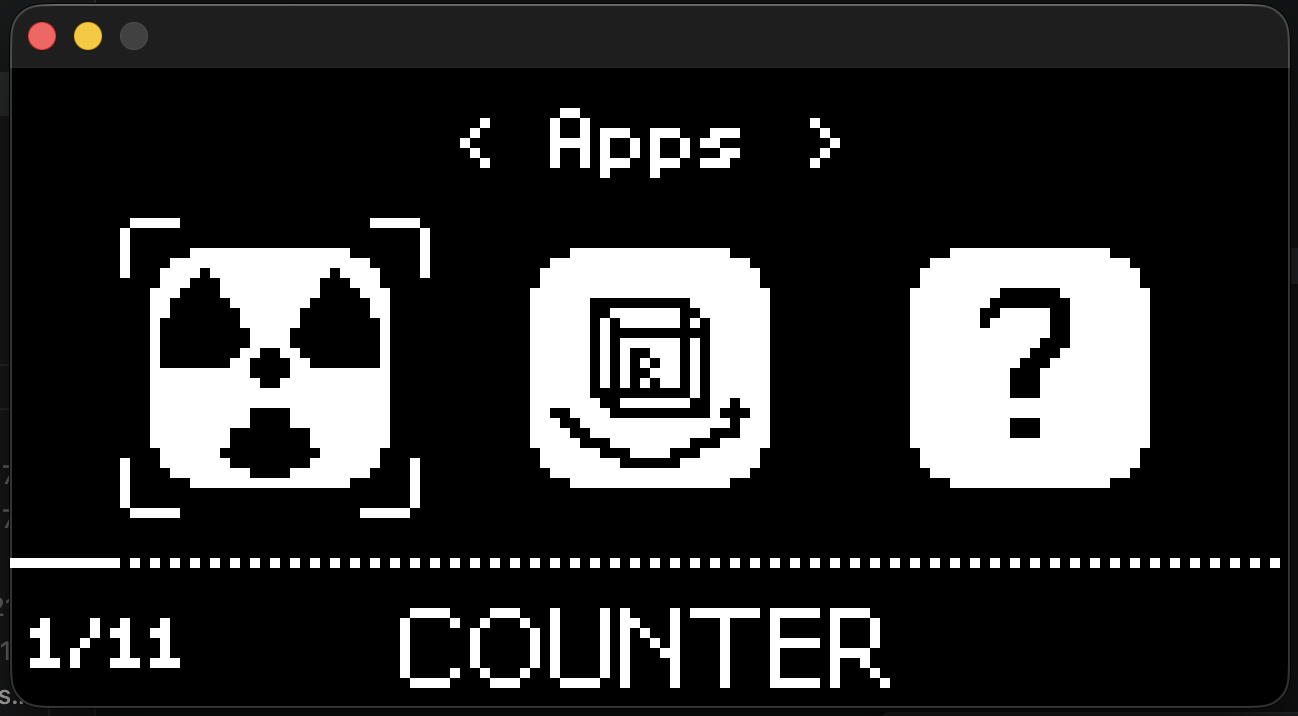
The default AppLauncher. AppLauncher itself is a standard App.
1. Register launchable Apps
Create a registration item for a regular App with AppItem::make<T>():
1 | AppItem settingsApp = |
Explicitly add it to AppManager during startup. PixelUI does not use static automatic registration, so startup code controls both the timing and order:
1 | void registerApps() { |
The registry capacity is set by PIXELUI_MAX_APP_NUM. Confirm that all entries fit before startup; see Resource limits for configuration details.
2. Launch the menu
1 |
|
The launcher normally sits at the bottom of the App stack. See App lifecycle and ViewManager for pause, resume, fade, and failure behavior.